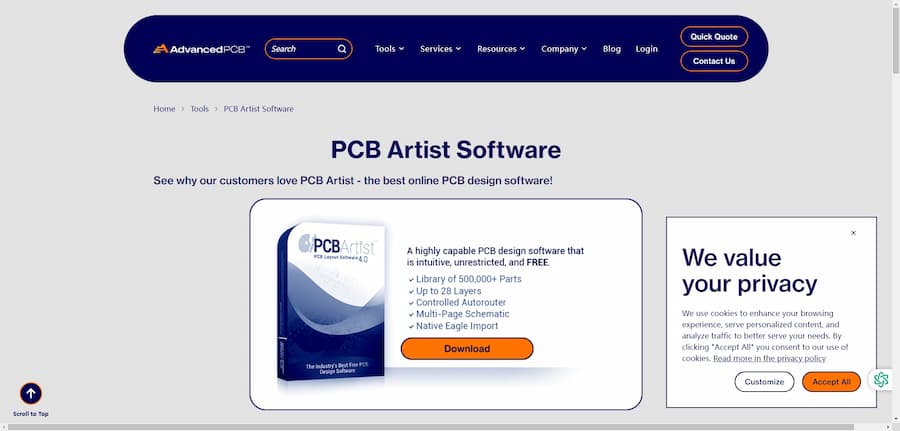
PCB Artist is free PCB design software from Advanced Circuits (now known as AdvancedPCB) designed to help users create professional-grade printed circuit board (PCB) designs. Its features include an easy design interface, a variety of layout tools, automatic routing capabilities, and a library of 500,000+ components, making it one of the most highly rated PCB design tools in the industry.PCB Artist was launched around 2007 and is developed and maintained by AdvancedPCB, a leading PCB manufacturing company in the U.S. From its inception, the program has been set to be one of the most popular PCB design tools in
the industry. The software has been designed to provide free but feature-rich PCB design tools since its inception, especially for small and medium-sized enterprises, beginners and hobbyists, providing an operable and no-cost burden of free design software. After years of version updates, PCB Artist has been highly rated and widely used by users worldwide.
PCB Artist Introduction
- Software Name: PCB Artist
- Software website: https://www.advancedpcb.com/en-us/tools/pcb-artist-software/
- Cost: Free
- Company:AdvancedPCB
- Development history: PCB Artist software was developed by AdvancedPCB, and has become a PCB design software widely used by industry professionals, students and hobbyists.
- Software Status: Currently, PCB Artist maintains continuous updates and technical support with an active user community and an expanding component library.
PCB Artist Core Features
-
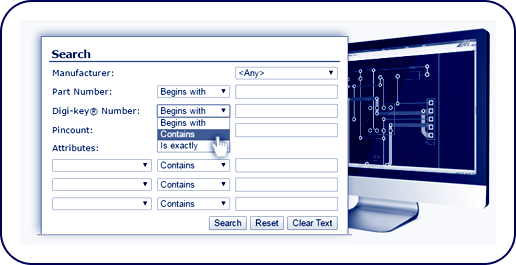
Professional-grade online PCB design software: PCB Artist provides a user-friendly interface, support for multi-page schematic and netlist import, and a library of over 500,000 components to make the design process more efficient.
-
Integrated Schematic/PCB: The software supports integrated schematic and PCB design in a single application program, improving design accuracy and ease.
-
FREE TECHNICAL SUPPORT: Provides real-time technical support to help users solve problems encountered during design.
-
Free Gerber Format Files: Users have free access to Gerber format files for easy manufacturing and prototyping.
-
Automatic Component Placement: The software supports automatic component placement to speed up the layout process.
-
Design Rule Checking and Reporting: Built-in design rule checking feature ensures that PCB designs comply with manufacturing standards.
PCB Artist Software Tutorials and Resources
- Tutorial URL: https://feihu.eng.ua.edu/NSF_TUES/pcb.pdf
- User Community: Users can get technical support and community help through AdvancedPCB's official website.
- Software Resources: The software provides video tutorials, user manual downloads, and design tips and tools.
PCB Artist Software Cons
Although PCB Artist is a powerful free PCB design software, it has some limitations. For example, it currently only supports Windows operating systems, which means that Mac and Linux users will need to use an emulator to run the software. Additionally, while it offers a large library of components, for specific or up-to-date components, users may need to create or find them on their own. In addition, while the software offers automatic routing, manual adjustments may be required to optimize layout and routing when working with complex designs.
PCB Artist Frequently Asked Questions
-
Does PCB Artist support Mac and Linux operating systems?
A: PCB Artist currently only supports Windows operating systems. Mac and Linux users can run the software by using an emulator.
-
How do I get technical support for PCB Artist?
A: Users can call 1-800-979-4722 x.1025 OR Layouthelp@4pcb.com
-
Does PCB Artist offer schematic to PCB conversion?
A: Yes, PCB Artist supports schematic to PCB design conversion, enabling users to complete the entire design process in one integrated environment.
PCB Artist User Reviews
- “I'm very excited about my prototype boards, they were inexpensive, they worked fine the first time back, and I didn't have to struggle to figure out how to put all the right design files together in the right format. For my next prototype, I will start in PCB Artist first.” - CNET User Review
- “PCB Artist's component library is very comprehensive and makes the design process quick and easy.” - User review from the AdvancedPCB website
- “The software's auto-routing feature saves me a lot of time, and the technical support is very helpful.” - Social Media User Reviews
PCB Artist for a wide range of users
PCB Artist is suitable for a wide range of user groups, including electronic design engineers, students, hobbyists, and
professionals who need rapid prototyping. Its free version is particularly suitable for small businesses and individual users with limited budgets. In addition, thanks to its intuitive user interface and extensive tutorial resources, PCB Artist is also perfect for beginners and students learning PCB design.
PCB Artist Software Review
PCB Artist is a full-featured and free PCB design software that has gained wide acclaim from users for its ease of use, powerful features and free technical support. Although it has limitations in terms of operating system support and up-to-date component libraries, these drawbacks are offset by the powerful tools and resources it offers for free. Overall, PCB Artist excels among free PCB design software, and I give it a rating of 4.5 out of 5. Points were deducted mainly because of the lack of support for non-Windows users.

