Pulsonix PCB is a powerful PCB design software designed to provide electronic engineers and designers with an efficient and flexible design experience. Its intuitive interface and complete toolset make users more efficient in circuit diagram capture and PCB layout. This article will provide an in-depth analysis of Pulsonix's features, user feedback, and applicability to help potential users fully understand the strengths and weaknesses of this software.
Pulsonix PCB Introduct
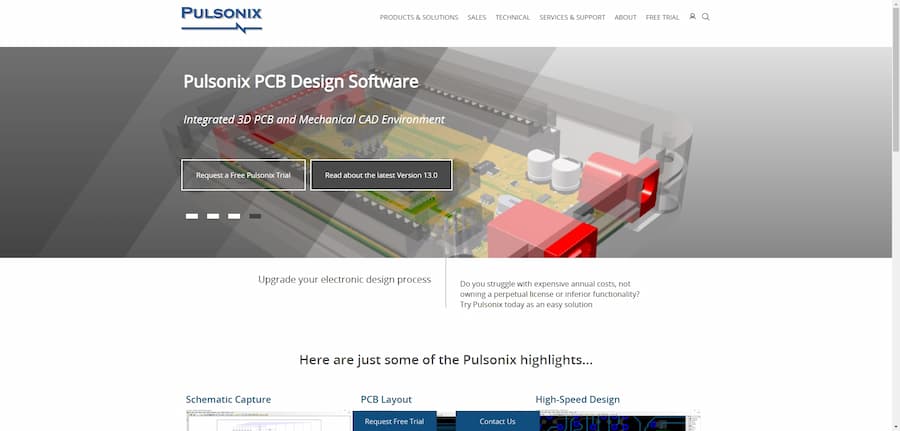
Pulsonix PCB is a powerful PCB design software for electronics engineers and designers. This software offers flexible schematic capture and PCB layout features to meet the needs of designs of varying sizes.Pulsonix enables users to work efficiently and accurately in the design process through its intuitive interface and comprehensive toolset. The software supports high-performance design and flexible board support, as well as integration of 3D views with mechanical CAD output. In addition, Pulsonix offers a full version trial to help users evaluate its functionality and applicability.
- Software: Pulsonix PCB
- Cost: Paid
- Website: https://www.pulsonix.com/
- Launched: Latest version 13.0
- Company: Pulsonix
Pulsonix PCB Features
Pulsonix PCB has a number of core features designed to improve the efficiency and accuracy of PCB design. Features include an easy-to-use schematic editor, simulation tools that support electrical correctness verification, and advanced features for high-frequency design.Pulsonix also supports flexible board design and interaction with mechanical CAD systems, making the design process more efficient and intuitive. In addition, the software provides version control and history management with Pulsonix Vault, ensuring that design files are safe and secure. Overall, Pulsonix PCB provides a one-stop solution for electronic design.
- Circuit Diagram Capture.Easily create circuit diagram designs using a feature-rich toolset and simulate them with the built-in Spice library.
- PCB Layout.Powerful design rules and routing layout features, including push routing and component placement, power efficient design.
- High-speed design tools.Provides easy-to-define, high-speed design tools with support for differential pair routing and in-circuit length display for DDR and USB designs.
- 3D view with MCAD output.Real-time 3D views and bi-directional output with mechanical CAD help users detect design conflicts and generate enclosures.
- Pulsonix Vault: Comprehensive access control, version history and search functions ensure the management and auditing of design documents.
Pulsonix PCB Turorial
Learning PCB design software, there are always some problems, through some videos or communities, we can solve the problems more quickly, here are a few tutorial sites we prepared for
you to learn Pulsonix PCB.
- PCBCart: The Pulsonix PCB Design Tutorial from PCBCart is a very comprehensive resource for beginners. It presents the basics and techniques of Pulsonix in an easy-to-understand manner that will help users get up to speed and master PCB design quickly. This is an excellent tutorial site recommended for novices.
- RAYPCB: This introduction to Pulsonix on RAYPCB provides a comprehensive overview of the software, as well as practical design tips, perfect for beginners and professionals alike. It not only explains Pulsonix's features, but also gives notes and procedures for use, for users who want to gain a deeper understanding of PCB design software.
- Pulsonix Official User Guide.Pulsonix Official User Guide is one of the best documents to learn Pulsonix, detailing how to use the software and its features. By reading this guide, users can get a comprehensive understanding of the features of Pulsonix and its applications, and it is suitable for all levels of users, especially those who need to have a deeper understanding of the software's features.
- Arduino Forum: The Beginner's Compass to Arduino Shield PCB provided by the Arduino Forum, although the content is not specific to the Pulsonix, contains a variety of PCB design concepts and processes, and can be a good reference and inspiration for those who use the Pulsonix for related projects.
- Pulsonix Evaluation Guide.The Pulsonix Evaluation Guide helps users quickly understand the core features of the software and the design process, and is ideal for users who are just starting out with Pulsonix. The guide is clear and easy to understand for all types of users, especially learners who need to get up to speed quickly with PCB design.
Pulsonix PCB Reviews
Pulsonix PCB is a popular PCB design software with generally positive user reviews. Many users found Pulsonix to be easy to use, with an intuitive interface that effectively supports a wide range of design tasks, and particularly excels in its copper layup and interactive routing features. While some users noted that Pulsonix lacked some advanced features after switching from Altium, its reasonable price point made it attractive for smaller design projects. In addition, Pulsonix was praised for its stability and good customer support, which responds quickly to user feedback. Overall, Pulsonix PCB is the tool of choice for design with its affordable features and user-friendly interface.
- Ease of use and support.Pulsonix is a very capable tool at a reasonable price. The support is also very good and you can communicate with the developers in the official forums. I recently suggested an improvement and the developers got back to me within a day.
- Comparison with Altium.After switching from Altium to Pulsonix, Pulsonix seems to be lacking in many advanced features. If I had to choose, I'd still favor using Altium, even though Pulsonix has some price advantages.
- Suitable for small designs.I think Pulsonix is better suited for smaller designs with some basic functionality, but can become very cumbersome when dealing with complex projects.
- Product Stability.Pulsonix is pretty good in terms of stability, but sometimes has problems in multi-screen mode. Overall it is acceptable.
- User Interface Reviews.Chris Anderson, former managing editor of Wired, praised its user interface and feature-richness as the best competitor to Cadsoft Eagle.
- FULL FUNCTIONALITY.Neil Gruending commented that the Pulsonix interface was intuitive, the copper layup worked well, and that the competitor in terms of features and price was Altium.
- Suitable for industrialized designs.Pulsonix supports the industrialization of embedded components in the HERMES project, meeting the need for product miniaturization.
- The best of both worlds: functionality and price.I ended up going with Pulsonix because I felt it had the best ratio of features to price. While cheaper software is out there, I would rather save time than money.
- Good user interface.I really like the Pulsonix user interface, it's very intuitive and handles most design tasks with ease.
- Interactive Routing Features.Pulsonix includes the interactive routing features I wanted to effectively support my design needs.
- Strong Copper Layer Support.I've found the Pulsonix to be excellent at handling copper layers and operating smoothly, which is one of the main reasons I chose it.
Articel Comments
After a thorough review of Pulsonix PCB design software, I rate it at ★★★★☆. The software's performance in terms of interface design, functional reliability, and efficient PCB layout operation is commendable. However, some users found certain advanced features missing after converting from Altium, which is suitable for small to medium sized design projects. Overall, it is a cost-effective PCB design tool.
- Intuitive and easy-to-use interface.Pulsonix's user interface is designed to be very user-friendly with a low learning curve, making it suitable for novices to get started quickly and be able to complete design tasks easily.
- Feature-rich with great support:.Functionally, Pulsonix offers a comprehensive range of PCB design tools, including circuit diagram editing and 3D viewing, to meet a
wide range of design needs.
- Suitable for small and medium-sized projects.The software performs well for small to medium-sized PCB designs, but can be overwhelmed by the lack of certain advanced
features when dealing with complex projects.
Overall, Pulsonix PCB software is a popular choice for PCB design with its affordable price and user-friendly interface. Although it is not as good as its older competitors in some advanced features, its core functionality and reliability give it a place in the market. Hopefully, this article will help you make an informed choice and improve your design efficiency.

