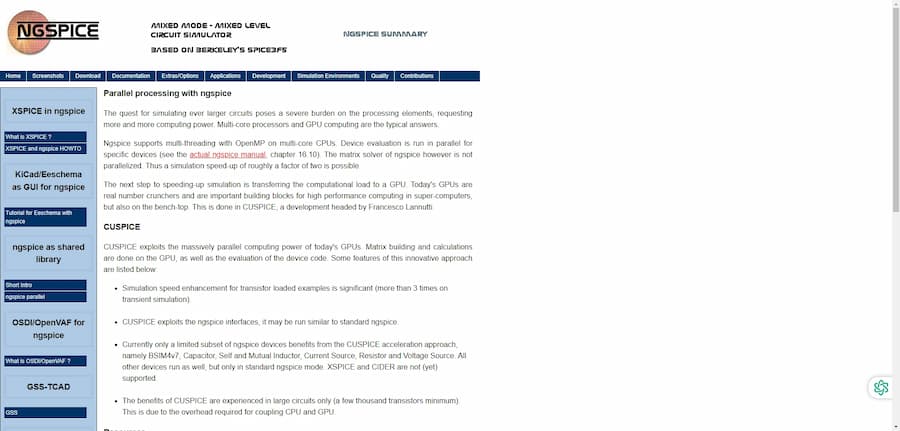
CUSPICE is an efficient software tool for PCB design simulation needs. By integrating ngspice and CUDA technologies, it can allocate large-scale computational tasks to GPU processing, thus realizing significant acceleration of circuit simulation. Compared to traditional CPU processing, CUSPICE is more efficient in the simulation of large and complex circuits, making it an ideal choice for engineers in high-performance computing and large circuit simulation.
CUSPICE Introduction
- Software Name: CUSPICE
- Software official website: ngspice.sourceforge.io/cuspice.html
- Release date: 2014
- Cost: open source and free
- Operating platform: support for Linux and Windows systems
CUSPICE core features
CUSPICE is a tool designed to improve the speed of PCB circuit simulation, based on the CUDA architecture, can take full advantage of the high-performance processing power of NVIDIA GPU. The following are the core features of CUSPICE:
- Efficient GPU Computing Acceleration: CUSPICE dramatically accelerates the speed of circuit simulation by utilizing the parallel computing power of GPUs. In circuit simulations containing a large number of transistors, CUSPICE's computational speed can be increased to more than three times that of traditional ngspice, especially in transient simulation tasks. This acceleration is made possible by the parallel processing advantages of GPUs in building matrices and executing device code, allowing users to quickly obtain accurate results in large-scale circuit simulations.
- ngspice interface compatibility: CUSPICE is compatible with the standard ngspice interface, which allows users to run simulation tasks in an ngspice-like manner. Nevertheless, only some ngspice devices are supported for accelerated processing, including BSIM4v7 models, reference capacitors, inductors (including self-inductance and mutual inductance), current sources, resistors and voltage sources. Other devices operate according to the standard ngspice model. This interface compatibility allows users to adapt and switch workflows more smoothly when upgrading to CUSPICE.
- Suitable for large-scale circuit simulation: CUSPICE's performance advantages are even more evident when dealing with complex, large-scale circuits (often containing thousands of transistors or more). Although CUSPICE has some overhead for data coupling between the GPU and CPU, the acceleration in large-scale simulation tasks is significant, making it suitable for demanding engineering simulation applications.
- Hardware and software support: CUSPICE requires a CUDA-enabled NVIDIA graphics card, and it is recommended to use the higher-performance NVIDIA Tesla series graphics cards (e.g., Maxwell, Pascal, or Volta architectures) to achieve the best simulation results. For Linux users, the software can be compiled by yourself through the user guide, and Windows users can download a 64-bit compiled version with the CUDA distribution. In addition, Windows users can compile with project files in Visual Studio 2017 and CUDA 10.1 environments to accommodate different platforms and hardware configuration requirements.
- Open source and continuous development: CUSPICE is based on ngspice's open source code base (ngspice-27) and the code is available on the CUSPICE+5 branch of the Git page. As an open source project, CUSPICE also accepts feedback and suggestions from users to help improve and optimize software performance.
CUSPICE User Guide
- CUSPICE User Guide - SourceForge: This is the official CUSPICE user manual covering how to configure your NVIDIA graphics card, install the CUDA libraries, and compile and run CUSPICE on Linux and Windows. Although the content is slightly out of date, it is still a primary source for learning about CUSPICE, and is particularly suitable for users wishing to perform large-scale simulations on GPUs.
- CUSPICE: ngspice on CUDA Platform is ready for download - Electrobucket: This page provides an overview of CUSPICE's features and download information, and also contains the basic acceleration principles of combining CUDA with CUSPICE, making it ideal for users who want to get a quick overview of the software's features and performance improvements. This page is ideal for users who want to get a quick overview of the features and performance enhancements of this software.
- ngspice / Discussion / ngspice-users: CUSPICE bug? - SourceForge: This is a discussion post on SourceForge by CUSPICE users, centered around feedback on bugs in small circuit simulations. This page shows real-life experiences and workarounds from other users, and is suitable for existing users to learn about potential problems and solutions.
- ngspice on GPU - CUSPICE - SourceForge: This is the home page for CUSPICE, which describes how to utilize GPUs to accelerate computing in circuit simulation, including an overview of hardware requirements, supported device types, and CUDA dependencies. The homepage also includes download links and is the official go-to page for learning about the software.
- Multisim vs Pspice for TI/LTSpice - EEVblog Forum: Although mainly discussing other simulation tools, the post also mentions CUSPICE as an acceleration option for ngspice. This page on comparing different simulation software is suitable for comparing to understand CUSPICE's position and capabilities, and to help users decide if it is suitable for their needs.
Tips for using CUSPICE
- Choosing the right GPU: CUSPICE simulation performance is highly dependent on the GPU, especially the NVIDIA graphics card, which is suitable for CUDA computing. It is recommended to use Maxwell, Pascal or Volta architecture cards with higher computational performance, or the higher-level Tesla series, which has excellent double-precision computational capabilities, thus increasing the simulation speed circuitry.
- Large-scale simulation: CUSPICE performs best with large circuits containing thousands of transistors or more. For smaller circuits, the communication overhead of the GPU and CPU may offset the performance gains. Therefore, when designing, prioritize larger scale simulations to take full advantage of CUSPICE's acceleration .
- Configure the right environment To ensure that CUSPICE can run smoothly, users need to install the correct version of CUDA (e.g. CUDA 10.1) and the applicable NVIDIA graphics card driver; Linux users can refer to the compilation instructions in the CUSPICE user's guide to complete the configuration, and Windows users can use the included Visual Studio project files. Windows users can use the included Visual Studio project file.
- Regular Driver Updates: Computing compatibility and performance are maintained by the latest CUDA drivers. Users are advised to regularly check for the latest driver version from NVIDIA and update it to ensure the stability and efficiency of the software.
- Utilize forums to solve technical problems: CUSPICrceForge discussion forums are a great resource for problem solving. Users can access the forum to discuss configurations, bugs, and tips, especially optimization suggestions for CUDA architecture settings, compilation errors, and simulation results.
CUSPICE User Reviews
Here are a few reviews of CUSPICE:
- SourceForge: User reviews suggest that CUSPICE's GPU acceleration when dealing with complex circuit simulations is significant, especially in large circuit simulations where it can significantly reduce computation time. This makes CUSPICE an ideal choice, especially for engineers and researchers who need high-performance simulations.
- eevblog: In the discussion, a user mentioned that CUSPICE is a powerful branch of ngspice that utilizes CUDA technology to dramatically increase simulation speed and provides a good open-source alternative for circuit simulation work that requires GPU acceleration.
- Reddit: One user shared his experience with CUSPICE, stating that although it is a bit complicated to set up the GPU and CUDA environment, once configured, CUSPICE is able to dramatically increase the speed of circuit simulation, especially in cases where frequent parametric analysis is required.
- Electrobucket: User reviews mention CUSPICE's potential for open source electronic design automation (EDA), and many users expect to see more features and improvements in future releases, especially in terms of interface friendliness and user documentation.
- SourceForge Discussion: In the discussion forum, users appreciated CUSPICE's performance and support, pointing out that its CUDA support makes real-time simulation of complex circuits possible and improves the efficiency of design iterations, which is an important advantage for engineers.
Rating: ★★★★★ (5/5)
Reason for comment:
- Efficient simulation speed: CUSPICE utilizes GPU acceleration for circuit simulation, which is able to increase the computation speed to more than 3 times compared to traditional CPU processing, and performs especially well when dealing with large and complex circuits, which is a huge advantage for engineers and researchers.
- Open source and free of charge: As an open source software, CUSPICE is completely free of charge. Users not only have access to highly efficient simulation tools, but also to its source code for customization and extension, which is very attractive to technical users and developers.
- Compatibility: CUSPICE's compatibility with ngspice allows users to smoothly transition from ngspice to CUSPICE, reducing learning costs. Although there is currently limited support for certain devices, this does not detract from the overall experience.
- Continuous updates and community support: As an active open source project, the development team of CUSPICE encourages user feedback and continuous optimization and updates, which demonstrates its good responsiveness in terms of user needs. In addition, users can get technical support and share experiences through forums, forming a good interaction.
- Hardware Requirements: Although the performance of CUSPICE relies on powerful NVIDIA GPUs, this is not a problem for users who are willing to invest in high-performance computing hardware. CUDA-enabled graphics cards will significantly improve simulation performance, and are especially suited for high-complexity circuit design work.
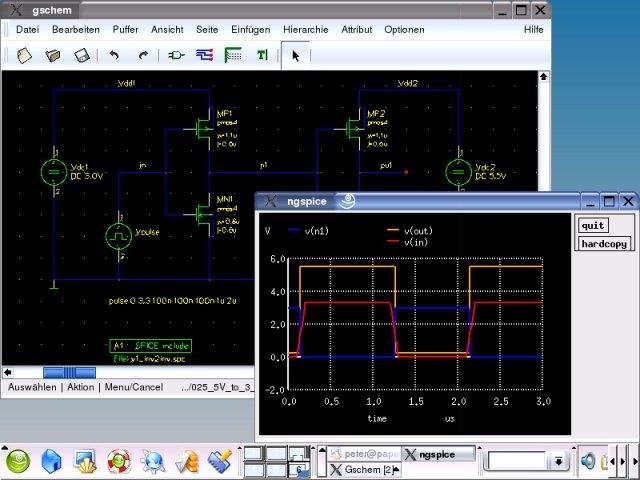
In summary: CUSPICE is a powerful and efficient PCB circuit simulation acceleration tool that meets the needs of high-performance computing with its GPU acceleration and open source features. Although there are some hardware requirements, the overall performance and community support make it an excellent choice for circuit simulation, hence the 5-star rating.

