CADSTAR is a professional PCB design software that is popular among circuit designers. It combines powerful local functionality with Internet services designed to help users improve design efficiency and quality.CADSTAR offers a rich set of tools and features to support the rapid creation of PCB schematics and layouts for a wide range of design needs. Through the use of modern technology, it simplifies the design process and enhances teamwork. In this article, we will discuss CADSTAR's core features and experience in detail, providing practical information for designers.
CADSTAR Introduct
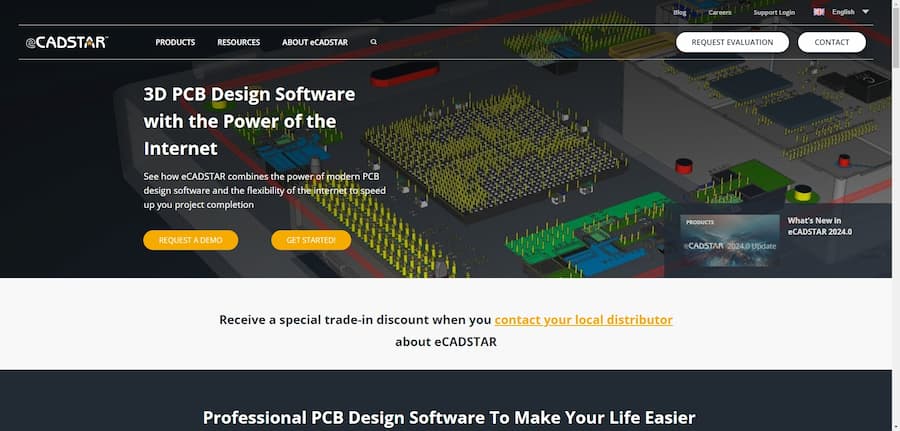
CADSTAR is a professional PCB design software designed to meet the needs of modern complex circuit design. It combines powerful local software features with the flexibility of Internet services to provide users with an efficient and intelligent design tool. Whether working in the office or remotely, CADSTAR supports designers in completing their projects efficiently. The software is designed to simplify the PCB layout and manufacturing process while optimizing design reuse, helping users save time and cost while ensuring quality. The official website provides detailed resources and support to help design teams collaborate globally.
- Software: CADSTAR
- Cost: Paid
- Website: https://www.ecadstar.com/
- Launched: 2019
- Company: Zuken
CADSTAR Features
CADSTAR's core features include a powerful PCB design editor and schematic design tools that support rapid design creation, component alignment, routing definition and manufacturing output. CADSTAR optimizes the PCB layout process through modern technologies such as 2D/3D graphics, touch screen, multi-core processing and 64-bit support. In addition, the software provides unified and centralized library management and supports collaboration between multiple users for efficient design management. Internet connectivity enables real-time access to online component information and design support for improved design efficiency.
- PCB Design Editor.Powerful and intelligent PCB layout tools that support complex board design and manufacturing output processes.
- Schematic Design Tools.Simplify the design process with design reuse, variant design and online parts procurement.
- Library Editor.Centralized management of all component libraries improves teamwork efficiency and design consistency.
- Integration of Internet services.Provide users with real-time data access and online support via the Internet to enhance design efficiency.
CADSTAR Turorial
Learning PCB design software, there are always some problems, through some videos or communities, we can solve the problem more quickly, here are a few tutorial sites we prepared for you to learn CADSTAR.
- CADSTAR Express - Free PCB Design Software: CADSTAR Express is an excellent free PCB design software, the website provides detailed tutorials to help users learn schematic capture and PCB layout design from scratch. It is suitable for electronics enthusiasts and beginners. This tutorial is perfect for users who want to learn PCB design, so they can get started and get the hang of it quickly.
- CADSTAR Express Tutorials - YouTube: The CADSTAR Express tutorial playlist on YouTube provides a rich video teaching resource for visual learners. The videos cover all the basics and advanced techniques, and are ideal for learners of all levels, helping users to understand the software operation more intuitively.
- CADSTAR Express D.I.Y. Tutorial: This PDF tutorial details how to design with CADSTAR Express and is a good resource for electronics enthusiasts and learners. It is a good resource for electronics enthusiasts and learners. The content is clear and includes the complete process of designing schematics and PCBs, making it a good introduction to CADSTAR software.
- Cadstar PCB Routing (Beginner) - Forum for Electronics: Newbies will find many discussions about CADSTAR PCB routing in this forum for beginners who want to learn about CADSTAR operation. The community interaction helps learners gain practical experience and tips, making it ideal for newbies looking for help and learning resources.
- CADSTAR Express Tutorial Videos: This site provides instructional videos for CADSTAR Express, including practical tutorials on how to create board outlines and generate part lists for those who need hands-on learning. The video tutorials allow users to better understand the features and applications of CADSTAR software.
CADSTAR Reviews
User reviews of CADSTAR are generally positive, recognizing it as an excellent PCB design software. Many users appreciated its intuitive interface and powerful features, especially the new features of eCADSTAR that provide significant enhancements in the design process. Reviews mention that the software's unified design environment and 64-bit multi-core performance have led to fundamental improvements in performance over previous versions.
Users also noted that the video tutorials and clear instructions were very helpful in learning the software, especially in understanding complex materials. In addition, the variety of color choices and excellent processing techniques were also welcomed, enhancing design flexibility and usability. Overall, CADSTAR has become a recommended design tool in the minds of users.
- A wide range of colors.Impulse e.max offers additional color options and clinical applications that are very useful.
- Instructions for use are clear.The information in the PDF download about the sintering cycle was very clear and made it easy for me to select a block.
- Video tutorials are useful for.The Custom CEREC Color Tabs video is helpful in understanding IPS Natural Die materials.
- Quality Ceramic Handling Tips.Etching with hydrofluoric acid is highly effective, especially with IPS Empress and IPS e.max.
- Cleans well.After using ultrasonic cleaning, the ceramic surface is clean and easy to etch again, improving adhesion.
- An excellent PCB design software.eCADSTAR is excellent software designed for the PCB design field! I will definitely recommend it to my customers!
- The new features are impressive: theIt's great to see so many new features over the classic CADSTAR. eCADSTAR is very, very impressive!
- Game-changing tools.eCADSTAR is a game-changing tool. It's fast, intuitive and powerful, with all the features expected of a modern ECAD tool.
- Great enhancements: theIts unified design environment and native 64-bit multi-core performance represent a fundamental improvement over the previous generation.
- Excellent for.Designing PCBs with eCADSTAR is a real pleasure!
Articel Comments
CADSTAR is a marvelous PCB design software with a rating of ★★★★★. Its powerful and intuitive interface makes electronic design efficient and fun. The versatility of features and online support greatly facilitates the design process, especially for teamwork and design data management.
- Powerful Design Tools.CADSTAR provides flexible PCB design editors and schematic design tools to support the implementation of complex designs and enhance efficiency through intelligent design flow.
- Rich Learning Resources.Numerous video tutorials and documentation are available officially and from the community to help newbies get started quickly and greatly reduce the learning curve.
- Good teamwork.Centralized library management and real-time data access enhance collaboration between teams, making multi-user co-design smoother.
- Updated for continuous optimization:CADSTAR continues to introduce new features and performance enhancements, allowing users to experience software advancements and optimizations with each update.
Overall, CADSTAR is a powerful PCB design software for electronic design projects of all sizes. Through continuous iteration and optimization of features, CADSTAR not only excels in performance, but also provides users with good learning resources to help users get started and master it quickly. We hope that the review in this article will provide you with a reference for choosing PCB design software, and help make your design work more efficient.

